What do you
want to do?
Pick a task. Each one says what to tap, in the order you will meet it.
ImportAdd a recipe from a link, post, photo or by typingThen check it before you save.
Shopping listUnderstand the shelf word on my listThe shop's word comes first.
ShopsFind shops that are likely to carry itA guide, not a stock check.
CookCook with one step on screenTimers where a step waits.
ShareShop a list together with someoneNeeds Sign in with Apple or Google.
Account and dataDelete my account or see what is storedSettings, then Delete account.
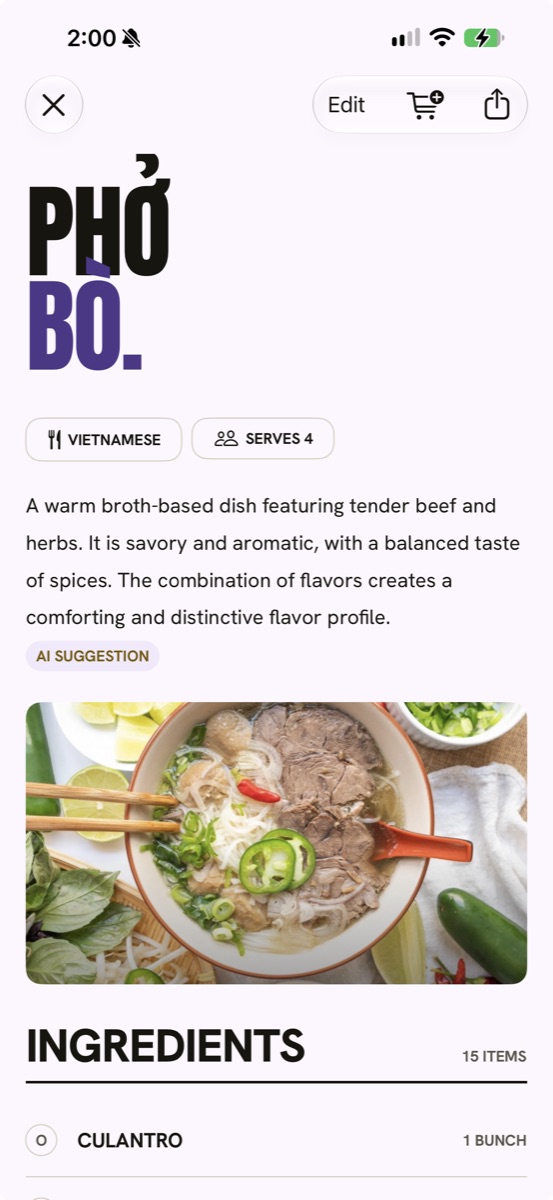
Add a recipe
- Pick a way in. A link, a photo, pasted text or a dish name. Or tap Share on an Instagram, TikTok or YouTube Short post and pick Miseo.
- Wait while Miseo reads it. Given a dish name, Miseo finds real recipe pages and you pick one.
- Check and fix. Miseo reads the ingredients, the amounts and the steps. Every field can be edited, and nothing saves until you have looked.
Read the list
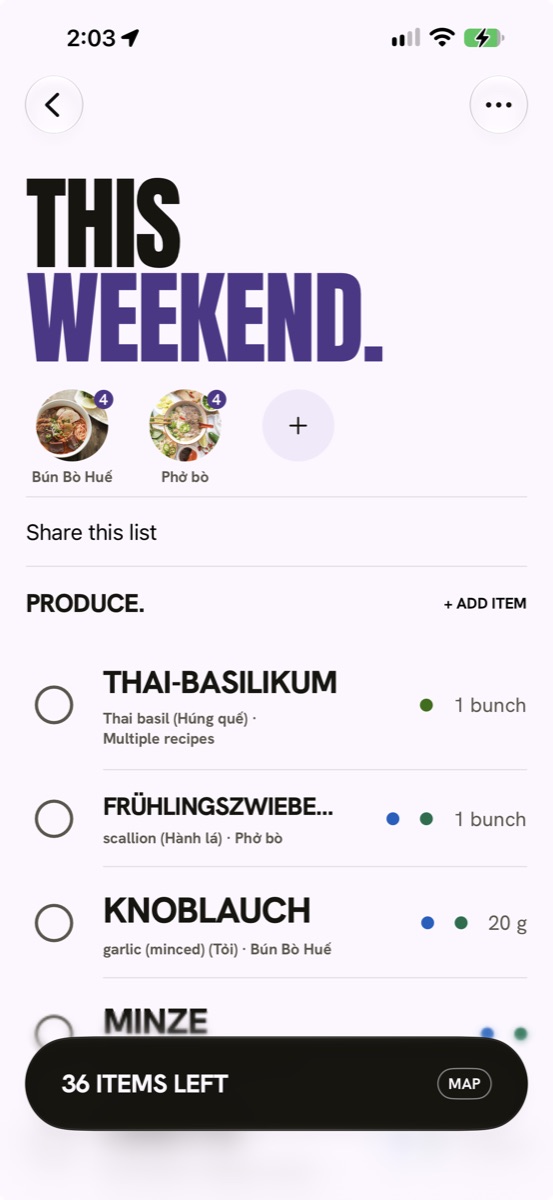
- Look for the big word. That is what the shelf label says, for example Fischsauce.
- Your recipe's own word is smaller, underneath. Same item, the way the recipe wrote it.
- Wrong word, or none? Open the ingredient and use Suggest it to Miseo.
Find shops
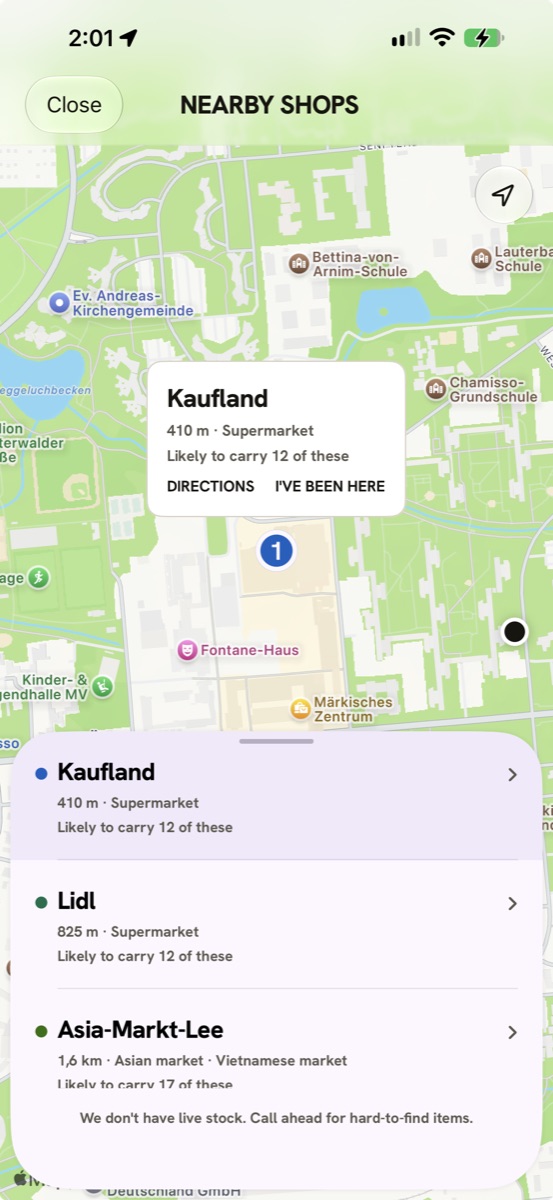
- Look at the shops for your list. Each one says how many of your items it is likely to carry.
- Read “likely” as likely. Miseo can't see today's shelves, so call ahead for hard-to-find items.
- Tick items off as you find them.
Cook
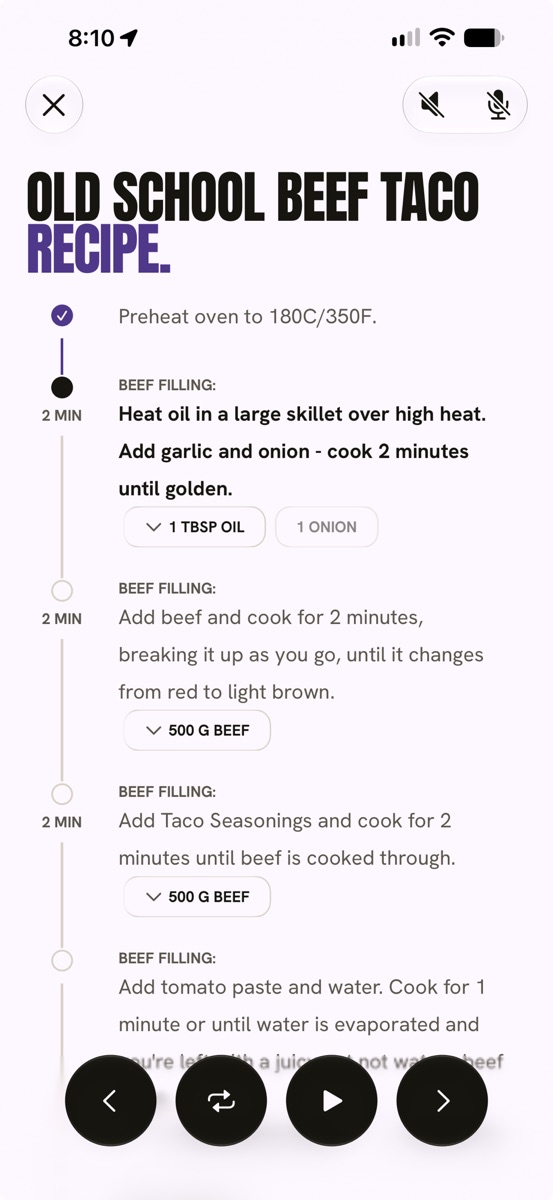
- Open a recipe and start cooking. One step at a time, with its amounts pinned to it.
- Hands busy? Miseo reads the step aloud and listens for “next”, “previous”, “repeat” and “start” for the timer.
- Steps with a wait get their own timer. Cooking runs on your phone, offline.
Account and data
- Delete your account. Settings, then Delete account. The page on usemiseo.com says what goes, what stays and how to ask without the app.
- See what is stored. It is written down in the privacy policy.
Not on the list?
Try the FAQ, or write to support@usemiseo.com.